Every expiration date becomes a renewal visit on the calendar.
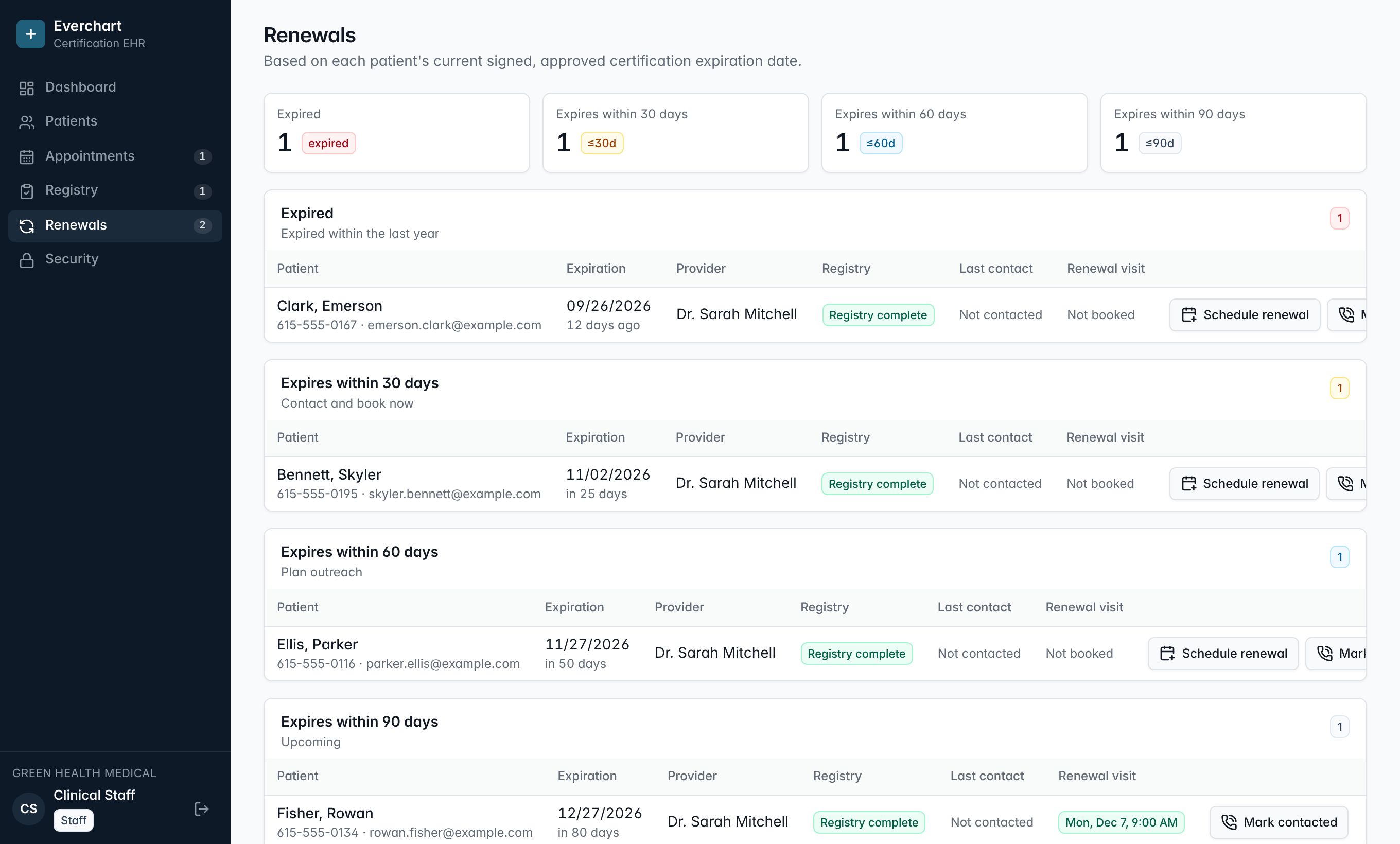
Everchart builds a renewal pipeline from each patient's current signed, approved certification. Staff see who is expired or expiring in 30, 60 or 90 days, log calls and emails so nobody double-contacts a patient, and schedule the renewal visit in two clicks. Patients also see a renewal prompt in their portal as their date approaches.
Built from real expiration dates
The queue reads the expiration date the provider signed, not a guess or a manual list.
Outreach you can see
Every contact attempt is logged with who made it and when, so the team works one shared list.
Two-click scheduling
Book the renewal visit straight from the queue with the patient and visit type filled in.
Patient-side nudge
Patients see their expiration date and a renewal request button in their own portal.
How it works
- 1A provider signs an approved certification with an expiration date.
- 2The patient appears in the right bucket automatically as the date approaches.
- 3Staff contact the patient and log the outreach.
- 4Staff schedule the renewal visit, and the patient drops off the list once the new certification is signed.
Common questions
Where does the expiration date come from?
From the patient's current signed, approved certification. Providers enter or confirm the dates; the software can prefill them from your configured program length, but the provider always confirms.
Does it send automatic reminders?
Not yet. Today staff work the queue and log outreach, and patients see their renewal prompt in the portal. Automated email and SMS reminders are on the roadmap.
What happens after a patient renews?
Once the new certification is signed, the renewal queue uses the newer expiration date and the patient leaves the current bucket.
More features
See it running with your clinic's workflow.
A 30-minute live walkthrough using your state's process. No slides.